
Managed Home Networking for Texas Luxury Estates: Enterprise WiFi, Structured Cabling & ISP-Independent Service
Three Texas estates, three different smart-home symptoms, one shared cause: a network built for a house a fraction the size. Here is what actually makes enterprise WiFi, structured cabling, and managed service work on 5,000 to 15,000 square foot luxury properties.
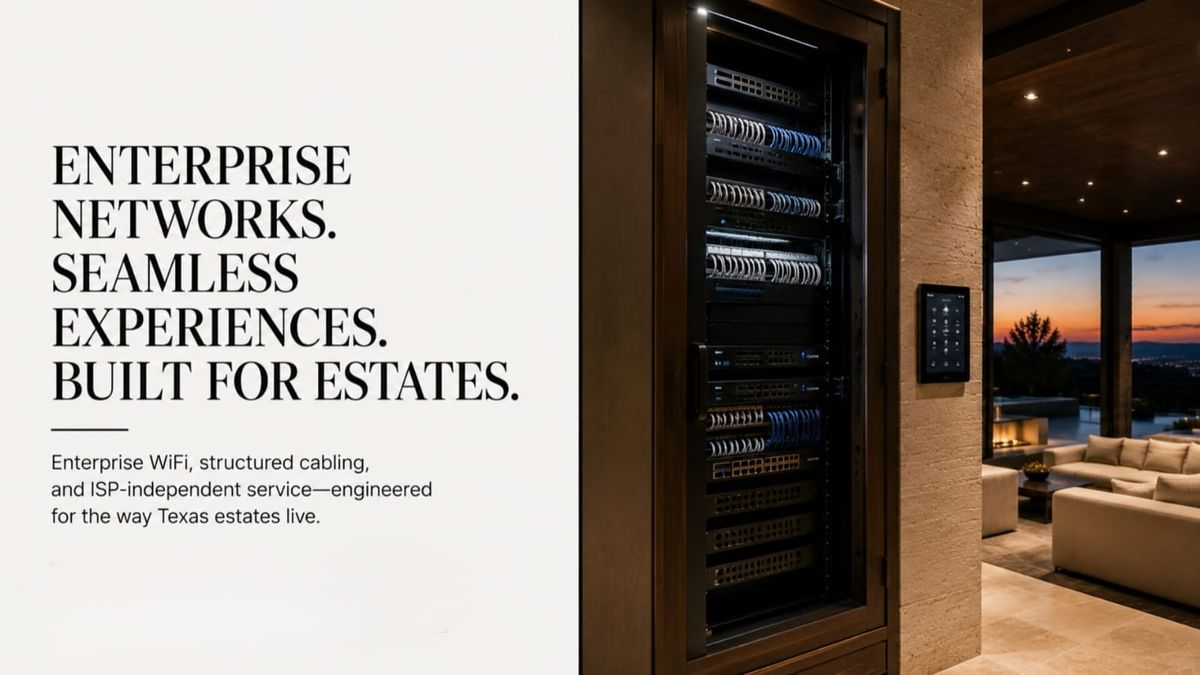
Three estates called SEIITS in the same month. A 9,500 square foot home in Frisco running a full Crestron system, 24 cameras, and 2Gbps fiber, where the lighting circuits dropped offline every evening. A Southlake family whose home office measured 11 Mbps in the west wing while the router two rooms away showed full bars. A Highland Park owner who had paid three separate contractors over 18 months to chase the same dead zones and still could not hold a video call in the primary suite.
SEIITS has audited the same failure pattern across dozens of Texas estates: the fiber tests fine every time, and the problem is never the internet connection. It is everything between the fiber handoff and the devices. A network built like a residential add-on cannot run an estate. A network built like the infrastructure it actually is, can.
This guide covers what SEIITS builds and manages for Texas estates as part of its technology systems service: enterprise WiFi architecture, structured cabling and closet design, and ISP-independent managed service, in that order, because each layer depends on the one before it.
What is managed home networking service for a Texas luxury estate?
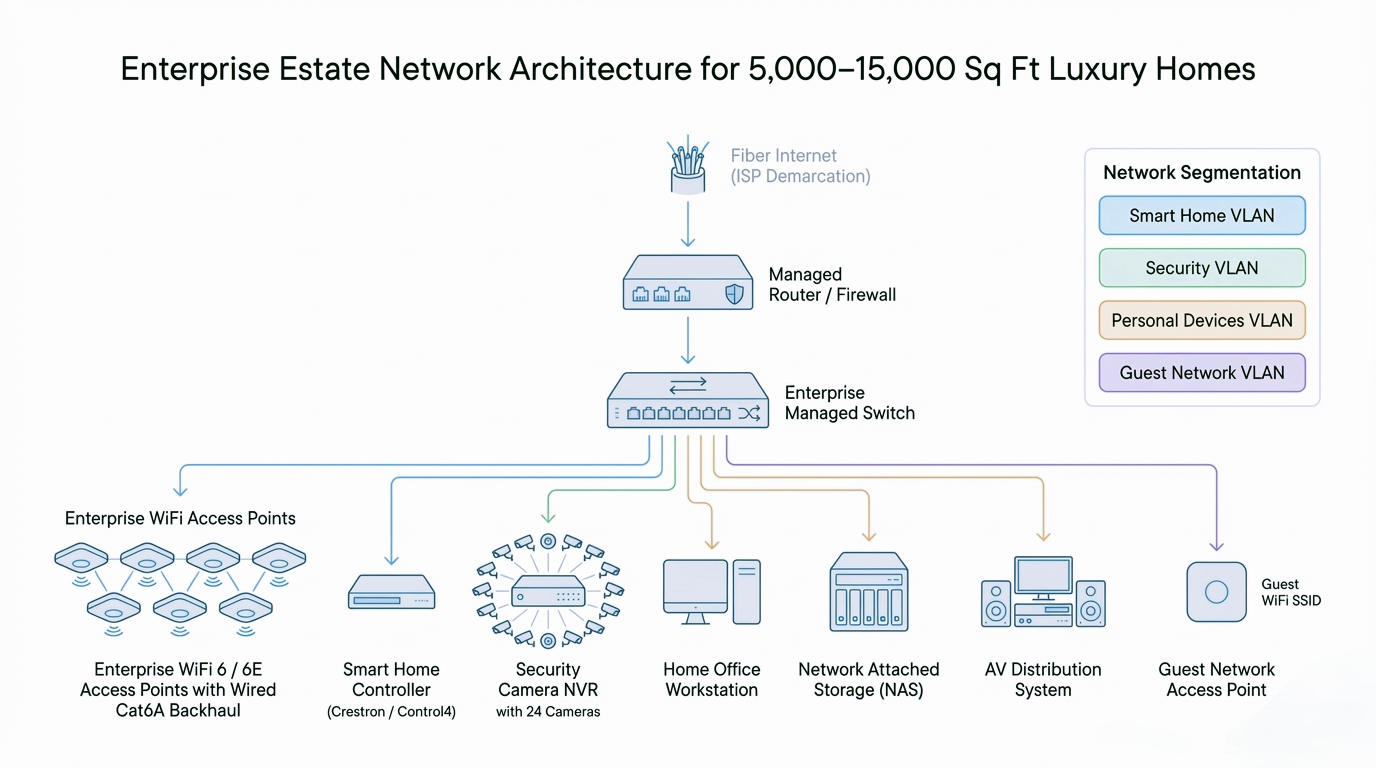
Managed home networking service for a Texas luxury estate is the design, installation, and ongoing management of commercial-grade wireless and wired infrastructure, including enterprise WiFi mesh, structured Cat6A cabling, network closet buildout, and VLAN segmentation, sized for 5,000 to 15,000+ square foot residences running 80 to 150+ connected devices. It is delivered as a subscription with 24/7 remote monitoring and defined response times, and it is fully independent of the homeowner's internet provider. A consumer WiFi installation, by contrast, is a one-time, unmonitored setup rated for a fraction of that device density.
The distinction matters because most Texas estate owners have already spent $80,000 to $250,000 on smart-home platforms, AV systems, and security infrastructure, and none of it performs to specification without this layer underneath it. Builders' low-voltage contractors wire without a network design. Smart-home integrators install their platform and leave the network to someone else. The estate ends up with a six-figure technology investment running on infrastructure that was never sized for it.
Why does standard home networking fail Texas luxury estates?
Standard home networking fails Texas luxury estates because it is built for a fraction of the devices and a fraction of the square footage the home actually has. A fully equipped Texas estate in 2026 runs 80 to 150+ connected devices: smart-home processors, lighting keypads, motorized-shade controllers, HVAC sensors, cameras, access-control panels, AV receivers, streaming devices, a NAS (Network-Attached Storage) server, smart appliances, and a phone or laptop for every family member and staff member. Consumer WiFi systems are officially rated for 30 to 50 devices, and in practice they degrade well before that threshold when devices cluster in one zone of a large multi-story home.
Construction is the multiplier
Texas luxury construction uses stone, brick, poured concrete, and thick interior wall assemblies that attenuate the 5GHz WiFi band severely. Signal that measures strong in the center of the home collapses at the edges, exactly where home offices, primary suites, and outdoor kitchens sit. Multi-story layouts create vertical coverage voids, and detached casitas, pool houses, and guest quarters are separate wireless environments a consumer mesh was never designed to bridge. Two identical routers perform completely differently in a production-built Plano home and a stone-and-concrete Southlake estate, and the router is not the variable that changed.
SEIITS sees this pattern most often as persistent WiFi dead zones in Texas smart homes, and it is the same reason consumer routers fail in large properties no matter how many are added.
Enterprise WiFi vs. consumer mesh: which does a large estate actually need?
A Texas luxury estate needs enterprise access points on wired backhaul, not additional consumer mesh nodes, once it crosses roughly 5,000 square feet or 60 connected devices. The difference is architectural, not a difference in brand quality. Consumer mesh nodes relay traffic to each other over the same radios they use to serve devices, a design called wireless backhaul, and every hop in that relay costs 40 to 60 percent of available bandwidth. Enterprise access points instead run on wired Ethernet back to a central closet, so every access point delivers the network's full speed independently of how many hops away it sits.
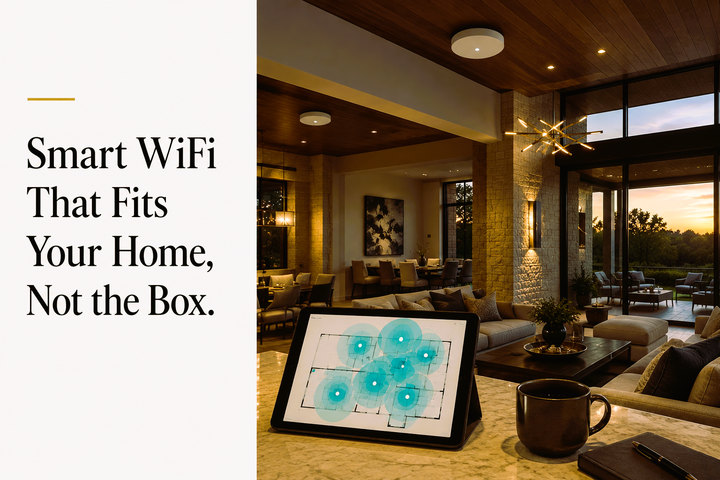
A 10,000 square foot Texas estate typically needs 8 to 12 interior access points plus 3 to 5 weatherproof outdoor units for pool, patio, and landscape zones, placed from a structured RF (radio frequency) site survey rather than guesswork about outlet locations. For new-construction projects, SEIITS specifies access-point conduit pathways at the design-development stage, before framing closes, because retrofitting the same pathways after drywall is materially more expensive.
Band selection compounds the same problem. Consumer routers default most devices to the crowded 2.4GHz band because it travels further through walls, but that band is also where the largest number of legacy smart-home devices, baby monitors, and neighboring networks compete for the same limited channels. Enterprise access points actively steer capable devices to 5GHz and 6GHz spectrum and use 802.11r fast transition so a phone or tablet roams between access points without dropping a video call or a security-camera feed mid-stream, something a three-node consumer mesh frequently cannot do smoothly across 9,000+ square feet.
What does structured cabling and network closet design actually involve?
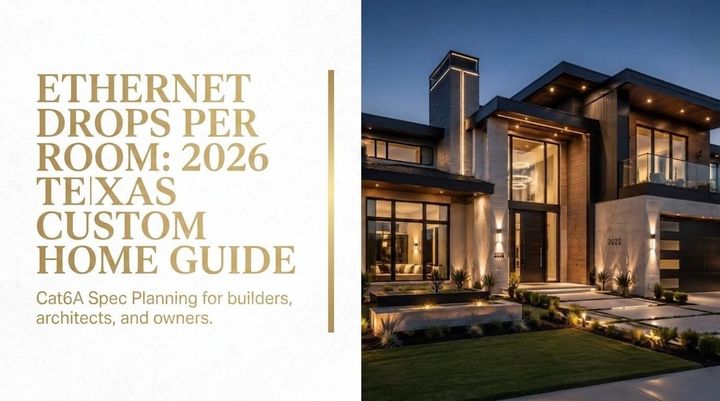
Structured cabling and network closet design is the permanent physical layer that determines what an estate's network can support for the next 15 to 20 years, and it is substantially more expensive to add after walls close than to specify during construction. SEIITS specifies Cat6A cable for new construction and major retrofits, which supports 10Gbps at distances up to 100 meters, giving the estate technology headroom well beyond what Cat5e or standard Cat6 provide. Where existing Cat5e is in good condition and meets current performance needs, it is retained and selectively supplemented rather than replaced outright, which is a practical cost decision, not a compromise.
The network closet is the physical hub of the entire estate's technology: the fiber demarcation point, the primary router or firewall, managed switches, patch panels for every cabling termination, the WiFi controller, and UPS (uninterruptible power supply) battery backup so the network survives the grid disturbances that are a routine fact of life on the Texas grid. SEIITS designs closets for 5 to 10 years of expansion headroom, and in Highland Park and Southlake estates where the equipment room is finished living space, sources acoustically treated rack enclosures so equipment noise never reaches adjacent rooms.
Every cabling run SEIITS installs is labeled at both ends, tested with a cable certifier, and documented in an as-built package delivered to the homeowner. Across dozens of estate audits, undocumented and untested legacy cabling has caused more technology failures than any other single root cause. Documentation is not an optional add-on in a luxury estate engagement, it is the difference between a network a technician can service in an hour and one nobody is willing to touch.
Why is a managed, ISP-independent network different from a one-time install?
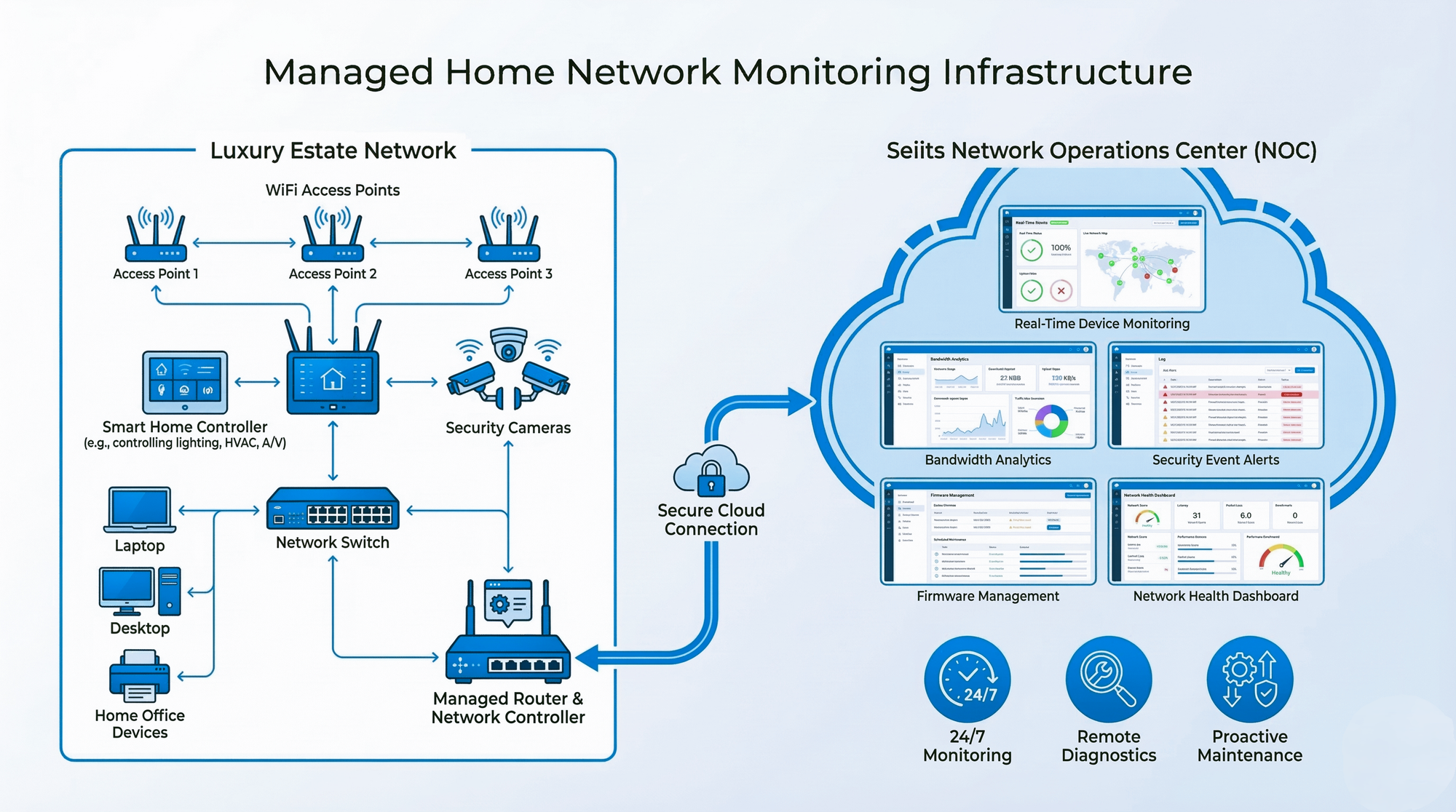
A managed, ISP-independent network is different from a one-time install because the estate's infrastructure is monitored, maintained, and supported by a dedicated technical team under a service agreement, rather than left to whatever the internet provider's equipment happens to do. Provider-issued routers cannot support VLAN (Virtual Local Area Network) segmentation, do not provide centralized visibility, and get replaced or updated on the provider's schedule, which routinely breaks smart-home systems built around specific network settings.
SEIITS installations hand the internet connection off at the demarcation point, and SEIITS-owned equipment takes over everything after it: the router, the managed switches, the access points, and the monitoring platform. When the provider changes equipment or pushes a firmware update, the managed network is unaffected. Continuous monitoring means the large majority of network issues are identified and resolved remotely, before a homeowner notices anything, with on-site response reserved for the cases that actually need it and dispatched under the response time defined by the estate's membership tier.
The Wi-Fi Alliance documents the roaming and security standards, 802.11r fast transition and WPA3, that let a device move across an estate without dropping a connection, and CISA recommends the same kind of network segmentation SEIITS builds into every VLAN configuration. Because the network and its equipment room run continuously, SEIITS also sizes UPS backup against the always-on household loads the U.S. Department of Energy documents, so a grid disturbance never takes the estate offline.
Case study: a 9,200 sq ft Southlake estate
SEIITS was contacted after 18 months of persistent connectivity failures on a 9,200 square foot Southlake estate running a full Savant smart-home system, 22 security cameras, 12 AV zones, and a Lutron lighting system, alongside a home office supporting a remote executive role with daily video conferencing. The existing network was three consumer mesh nodes, an ISP modem-router, and Cat5e cabling the builder's low-voltage contractor had run to locations convenient for construction rather than optimal for coverage.
At intake, the Savant system logged dozens of connectivity errors a week, security cameras dropped offline during morning peak usage, and video conferencing failures had become a professional problem for the homeowner. SEIITS completed an RF site survey and full cabling audit, then delivered a network design within five business days: nine enterprise access points on wired Cat6A backhaul to a new structured closet, four VLAN segments separating smart-home, security, personal, and guest traffic, QoS (Quality of Service) rules prioritizing the home office and video endpoints, and a fully ISP-independent architecture replacing every piece of provider equipment.
At the 60-day review, the weekly connectivity errors had gone to zero, all 22 cameras held 100 percent uptime, the home office measured well above 400 Mbps at the workstation, and the video-conferencing failures had stopped entirely. The installation investment fell in the $28,000 to $45,000 range typical for an estate of this profile, with an annual Elite membership on top.
Frequently asked questions
What is managed home networking service?
Managed home networking service is commercial-grade WiFi and wired infrastructure delivered as an ongoing subscription rather than a one-time install. It includes 24/7 remote monitoring, proactive maintenance, and a defined response time, and it runs independently of the homeowner's internet provider so provider changes never affect the estate's systems.
Do I need enterprise WiFi, or is mesh enough for a large home?
Consumer mesh is generally sufficient under about 5,000 square feet and 60 devices. Above that, masonry construction and device density overwhelm mesh's wireless backhaul, which loses 40 to 60 percent of bandwidth per hop. Estates over that threshold need enterprise access points on wired backhaul to deliver consistent speed throughout the property.
Why do I still have dead zones with a three-node mesh system?
Three consumer mesh nodes are typically rated for a fraction of a large estate's device count and square footage, and stone or concrete construction attenuates the signal further at the edges of the home. Dead zones in home offices, primary suites, and detached structures are the expected result, not a defective unit.
What does ISP-independent networking mean?
ISP-independent networking means the internet provider's connection terminates at a demarcation point, and separately owned and managed equipment, router, switches, access points, and monitoring, handles everything after it. Provider equipment swaps or firmware updates never touch the estate's configured network.
How many access points does a large Texas estate need?
A 10,000 square foot estate typically needs 8 to 12 interior access points plus 3 to 5 weatherproof outdoor units for pool, patio, and landscape areas, based on a structured RF site survey rather than a fixed formula, since masonry construction and layout change the count significantly.
What is VLAN segmentation and do I need it?
VLAN, or Virtual Local Area Network, segmentation splits one physical network into separate traffic lanes, so smart-home devices, cameras, family devices, and guests never share the same space. It is both a performance measure and a security measure, and CISA recommends it for any home running many connected devices.
Where SEIITS installs and manages estate networks
SEIITS delivers managed home networking across the primary Texas luxury markets: Highland Park, University Park, Preston Hollow, Frisco, Southlake, Westlake, and Colleyville in DFW; West Lake Hills, Rollingwood, Barton Creek, and Lakeway in Austin; River Oaks, Memorial, and The Woodlands in Houston; and Fredericksburg, Wimberley, and Boerne in the Hill Country. Estates in adjacent markets are served by project scope.
For a broader view of how this fits the rest of an estate's technology, see the home automation guide for Dallas, Austin, and Houston, and for new construction, the pre-construction integration guide for Texas architects and the 10 questions every builder should ask their integrator.
The network is also what keeps every other system reliable: see how it connects to security camera performance, AV system uptime, and the preventative maintenance model SEIITS applies across an estate. If a device is failing intermittently, start with when to call a professional, and for existing WiFi that needs hardening rather than replacing, see securing home WiFi in Texas.
Comments ()