
Mesh WiFi vs Access Points: Which Is Right for a Large Texas Home?
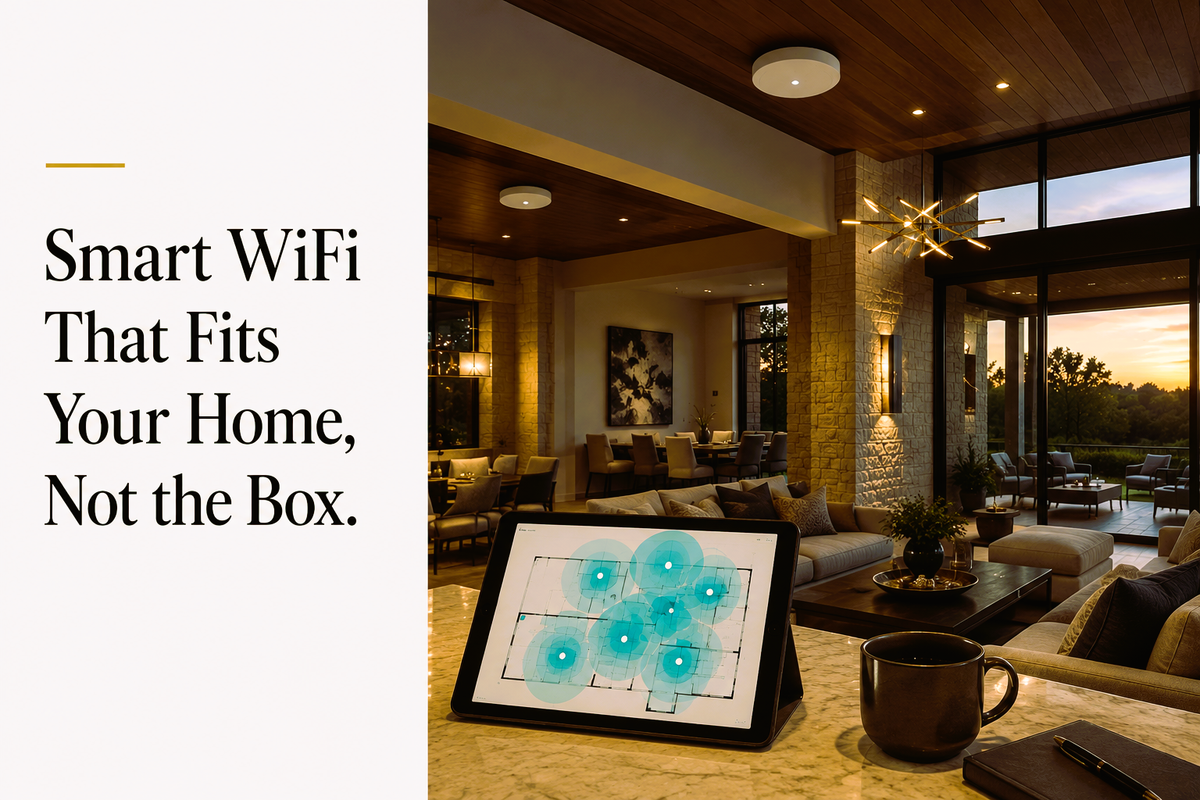
Why a Large Texas Home Breaks the Coverage Numbers on the Box
A coverage number printed on a mesh system's packaging assumes open-air, single-story, drywall construction. Large Texas estates seldom fit that model.
Two Texas-specific factors change the math: exterior material and scale. Brick veneer and stone exteriors, standard across DFW, Austin, and Houston luxury construction, can attenuate 5 GHz WiFi signal well beyond what a national buying guide accounts for. A 6,000 to 10,000 square foot two-story estate also needs more coverage points than the 3 to 4 nodes most consumer kits ship with.
Does Radiant Barrier Construction Actually Block WiFi?
Not in the way it's often described. Radiant barrier foil is real and common in Texas new construction.
Radiant barrier foil is only a few thousandths of an inch thick and typically covers 20 to 35 percent of a home's total surface area, so it doesn't create a whole-house shield. The U.S. Department of Energy confirms radiant barriers reduce cooling costs by roughly 5 to 10 percent in warm, sunny climates, which is why it's common across Texas new construction in the first place.
The narrower, accurate version of the WiFi claim: attenuation shows up specifically when a signal must physically pass through the barrier plane, for example a wireless backhaul link between a ceiling-mounted node and one above an attic boundary. The reflective insulation industry's own trade association is direct about this: unless the radiant barrier sits directly between a device and its signal source, it's unlikely to have any real impact.
In practice, node placement matters more than the mere presence of radiant barrier. A node on the same side of the barrier as the devices it serves is rarely affected. Problems are more likely when a wireless link has to cross the barrier plane.
How Many Access Points Does a Large Texas Home Actually Need?
More than the box suggests, but the honest number depends on construction, not just square footage. A single-story home with interior drywall needs meaningfully fewer coverage points than a two-story brick-and-stone estate of the same size.
There is no universal per-node square footage figure that holds up across brick, stone, and open floor plans at once, and any guide that states one without qualifying construction type is guessing. For a specific estate, the reliable answer comes from a physical site walk that accounts for wall material, floor count, and where devices actually cluster, rather than a formula applied blindly.
How Many Devices Can a Home Network Actually Handle?
Usually fewer than the marketing number suggests. Manufacturers publish a maximum theoretical connection count, which describes how many devices can technically associate with the network, not how many can remain active at once without performance dropping.
A Texas luxury estate running whole-home automation, multiple security cameras, motorized shades, and a family's personal devices can easily go beyond what a consumer system handles smoothly when many of those devices are transmitting at the same time, streaming, recording, or running automation commands rather than sitting idle. Wired access points generally handle this sustained active load better because they do not split radio capacity between serving devices and communicating with each other.
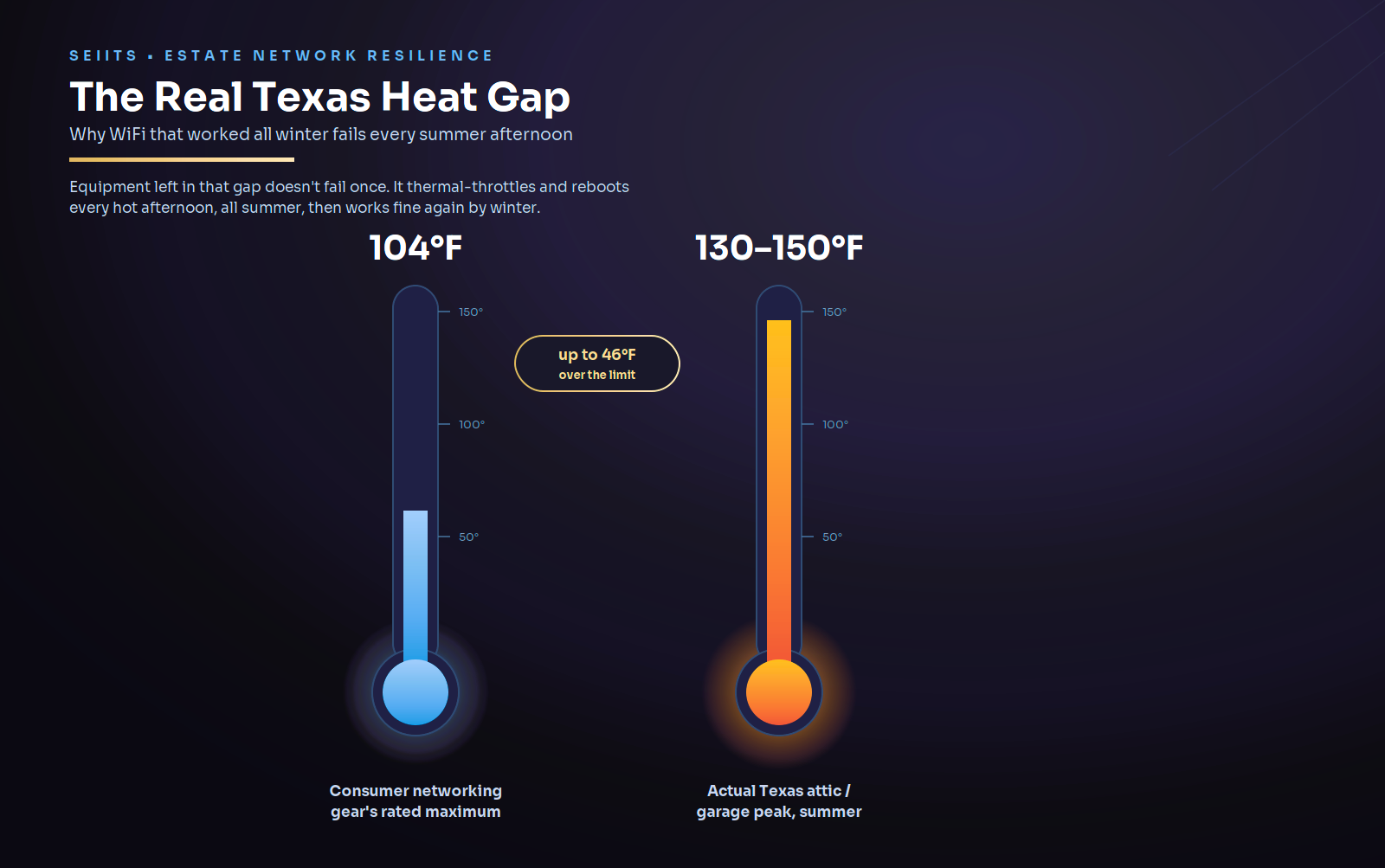
Why WiFi Fails in Texas Garages and Attics During Summer
This is a heat problem, not an ISP or firmware problem. Consumer networking equipment carries a manufacturer-rated maximum operating temperature, commonly 104°F, confirmed directly in published manufacturer support documentation for consumer mesh networking equipment. Texas garages and unconditioned attics routinely exceed that on summer afternoons.
Equipment placed in that environment can thermal-throttle and reboot repeatedly through the hottest months, creating the pattern homeowners often blame on their internet provider: WiFi that worked fine in winter and degrades every summer afternoon. The fix is to move networking equipment into conditioned, ventilated space, not to replace the router.
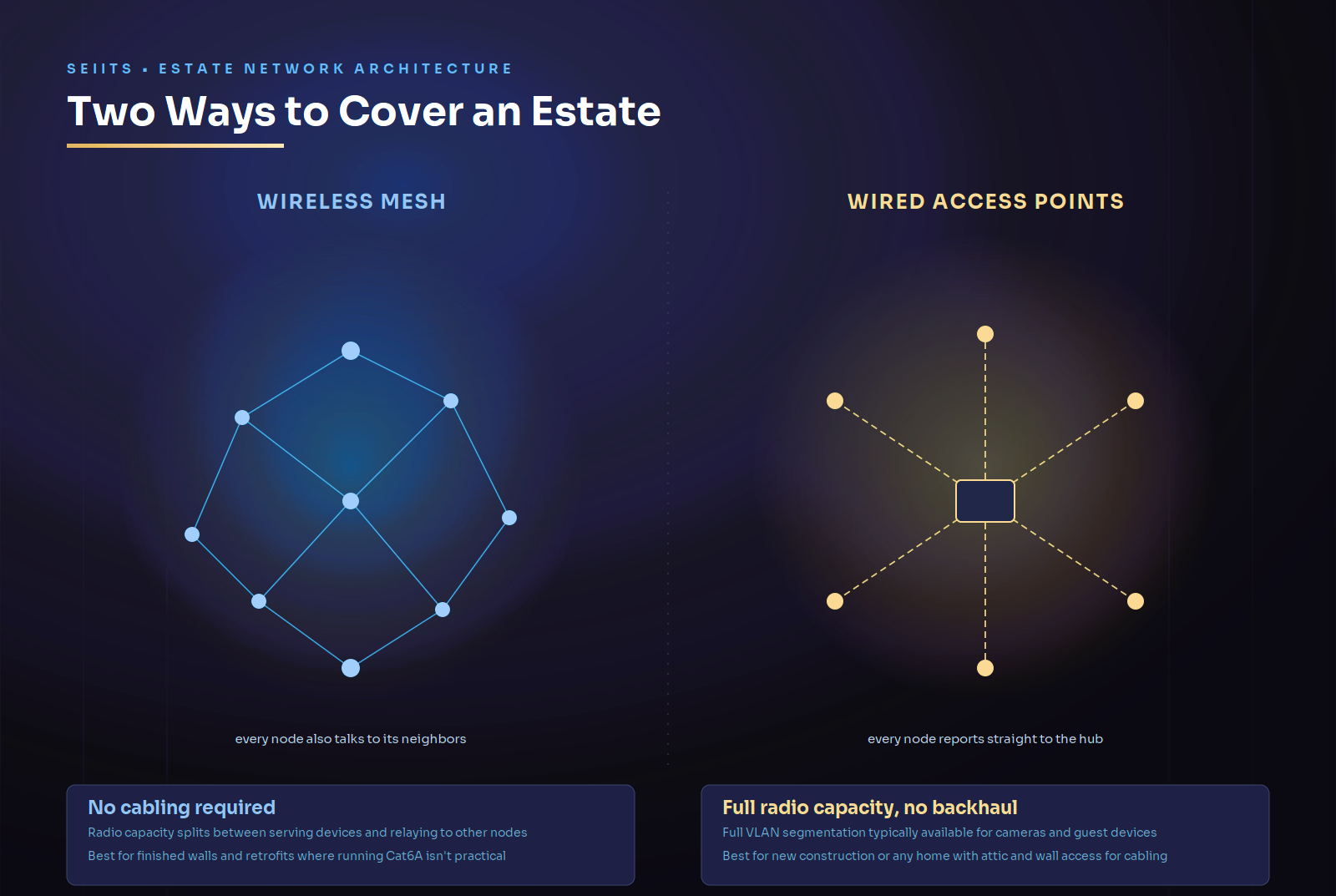
Should You Choose Wireless Mesh or Wired Access Points?
The answer comes down to one practical question: can Ethernet reach ceiling-mounted locations? Everything else is secondary, including VLAN support, meaning the ability to segment devices onto separate isolated networks. That matters for keeping security cameras and guest devices off the same network as personal devices.
|
Factor |
Wireless Mesh |
Wired Access Points |
|
Cabling required |
None |
Cat6A run to each access
point |
|
Best fit |
Finished walls, no attic
access, retrofit situations |
New construction,
renovation, or any home with attic/wall access for cabling |
|
Radio capacity per node |
Split between serving
devices and node-to-node backhaul |
Full capacity available for
client devices, no backhaul overhead |
|
Device load under active
use |
Degrades sooner under
sustained heavy use |
Holds up further under
sustained heavy use |
|
Network segmentation |
Limited on most consumer
systems |
Full VLAN segmentation
typically available |
|
Ongoing cost |
No subscription on most
systems |
No subscription; higher
install labor upfront |
What Does Getting This Right Cost for a Large Texas Estate?
Cost depends much more on whether cabling is possible than on which architecture is chosen. A wireless mesh setup avoids cabling labor entirely, but it has a hardware ceiling that few consumer systems exceed gracefully at scale. A wired deployment costs more upfront in labor, largely because of Cat6A installation, while the hardware itself typically lasts longer across multiple WiFi standard generations.
The only reliable way to get an honest number for a specific estate is a site assessment that accounts for construction, existing wiring, and device count, rather than a generic per-square-foot estimate applied without seeing the property.
|
Not
sure which architecture actually fits the estate? SEIITS specializes in
enterprise wireless coverage delivered through wired, structured-cabling
access points, and gives an honest read on whether that approach or consumer
mesh makes sense for the property. Book a free Home Network Assessment at seiits.com/assessment. |
How SEIITS Approaches WiFi for Texas Luxury Estates
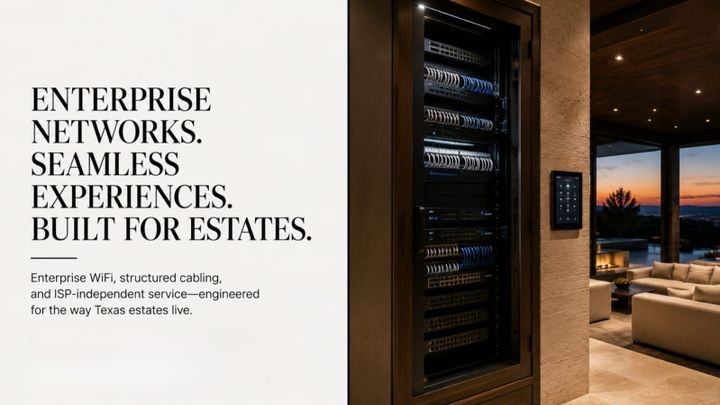
SEIITS specializes in enterprise wireless coverage delivered through wired, structured-cabling access points, including retrofits into existing homes, as part of its home networking service, matched to each estate's construction rather than a single default architecture.
For estates already experiencing dropped connections or dead zones on an existing setup, the diagnostic starting point is the SEIITS guide to fixing WiFi dead zones in a Texas smart home, which covers why an existing network is failing. This article covers the separate decision of how to plan or resize a network from the ground up.
Network segmentation matters more once cameras, locks, and automation devices are added to the mix. See the SEIITS guide to securing home WiFi in a Texas smart home for how that segmentation is actually set up.
For new construction, cabling decisions are far cheaper made before framing than after. See the SEIITS guide on Ethernet drops per room for a Texas custom home for what to specify before the walls close, and the broader new construction technology planning guide for sequencing that decision against the rest of the build.
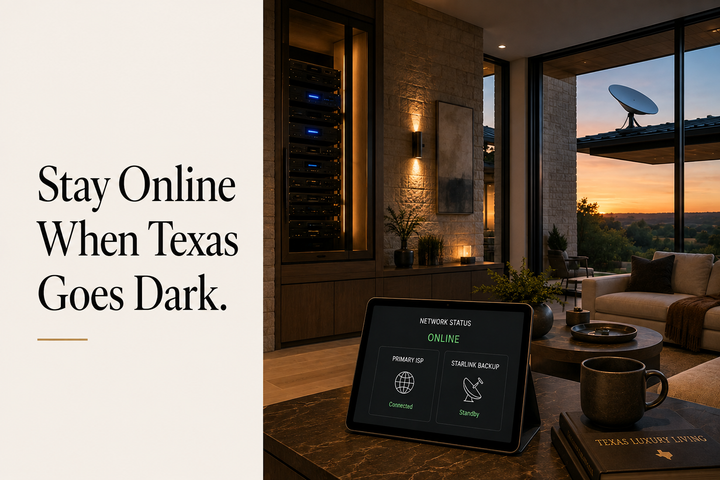
A wired or wireless network is also the foundation a backup connection sits on top of. See the SEIITS guide to Starlink as backup internet for a Texas estate for how failover fits into the same network.
Ongoing network monitoring and firmware management is included under SEIITS membership tiers, and ties into the broader SEIITS maintenance program for estate technology generally.
|
A large
Texas home deserves a WiFi decision matched to its construction, not a
generic buying guide. SEIITS installs and manages enterprise wireless
coverage built on wired, structured-cabling access points across Texas luxury
estates. Start with a free Home Network Assessment at seiits.com/assessment. |
Frequently Asked Questions
What's the actual difference between mesh WiFi and access points?
Mesh WiFi nodes communicate wirelessly with each other, splitting their radio capacity between serving connected devices and relaying signal to other nodes. Wired access points connect to the network by cable, so their full radio capacity goes to serving devices. Neither is universally better; the right choice depends on whether cabling to access point locations is realistic for the home.
Does radiant barrier construction affect WiFi in a Texas home?
Only in a narrow, specific way. Radiant barrier foil is thin and covers a fraction of a home's total surface area, so it does not create a whole-house shield against WiFi signal. Attenuation only shows up when a wireless signal path has to physically cross the barrier plane, so node placement matters more than whether radiant barrier is present at all.
How many access points does a large Texas home need?
There's no single reliable per-square-foot number, because brick, stone, and floor count all change the answer differently. A single-story drywall home needs meaningfully fewer coverage points than a two-story brick-and-stone estate of equal size, and the only reliable way to answer this for a specific property is a physical site walk.
Why does home WiFi fail specifically in Texas summers?
Consumer networking equipment has a manufacturer-rated maximum operating temperature, commonly around 104°F. Garages and unconditioned attics in Texas routinely exceed that in summer, causing equipment to thermal-throttle and reboot repeatedly, a pattern often mistaken for an internet provider problem rather than a heat problem.
Is wired networking worth the extra cost over wireless mesh?
When Ethernet can reach access point locations, generally yes for a large estate: wired access points avoid splitting radio capacity on backhaul, tend to hold up better under heavy sustained device load, and typically support fuller network segmentation. The tradeoff is higher upfront installation labor for the cabling itself.
Which performs better in a multi-story Texas home?
Wired access points generally perform better across multiple floors, since each floor gets its own full-capacity connection point rather than relying on a wireless signal to travel between floors and through the framing in between. Wireless mesh can still work well multi-story, but node placement near stairwells or open floor plans matters more than it does single-story.
Does WiFi roam the same way between access points as it does with mesh?
Both can support smooth roaming, where a device switches access points without dropping connection, when configured with a shared network name across all points. The practical difference is setup: mesh systems handle this automatically out of the box, while wired access points typically need a controller or management system configured to coordinate handoffs, which is part of what a professional installation sets up correctly from the start.
Comments ()