Home Media Server: Why a DIY Guide Isn't the Same as a Real Estate Solution
What a Home Media Server Actually Does
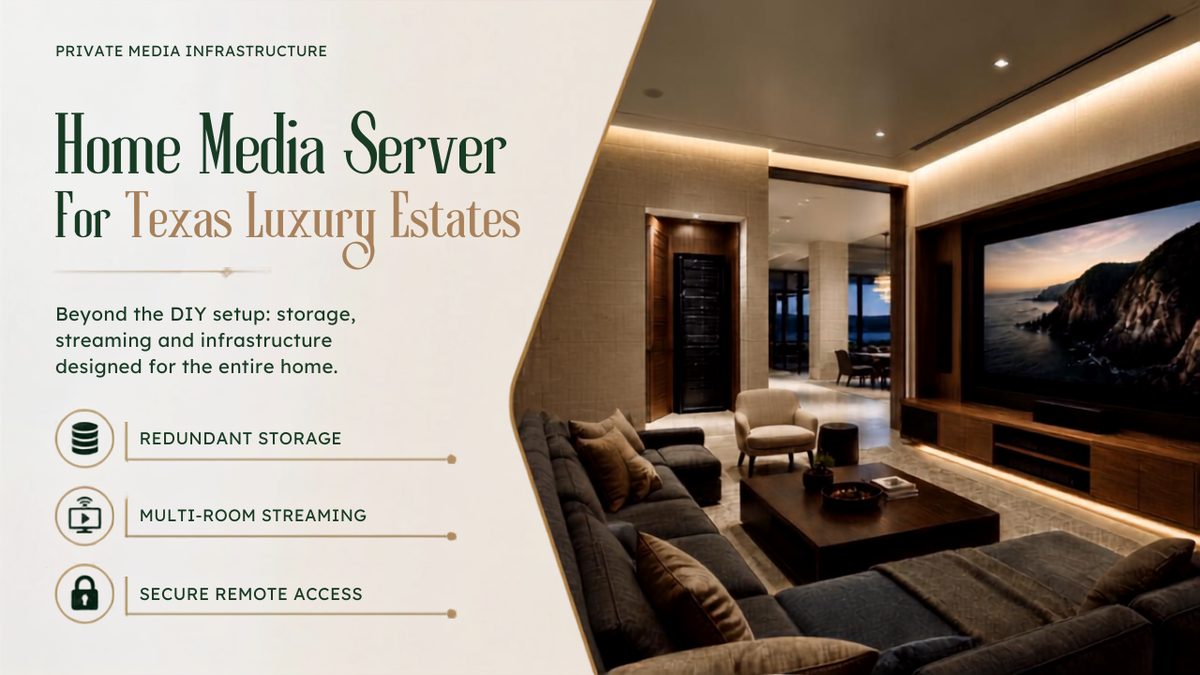
A home media server takes a personal collection, movies and shows purchased or ripped from physical media, family videos, photos, and makes it available on demand to any TV, tablet, or phone in the house, the same way a streaming service does. The difference is the content is owned, not rented, and there's no monthly fee or subscription tied to it.
The server itself is just storage plus software that organizes the library and handles playback requests. What varies enormously is the hardware and reliability behind that simple description, and that's exactly where most public guides and a real estate installation part ways.
Why Every Guide Online Assumes You're Building This Yourself
Search for how to set this up and the entire first page is the same shape of content: a spare desktop computer or a budget NAS device, free or open-source software, a weekend afforded to figure out folder structures and network settings. That's a completely reasonable path for a single user with a modest library.
It's also a different problem than a full estate with a library running into the thousands of titles, multiple family members streaming at once in different rooms, and an expectation that it simply works without anyone thinking about folder structures or software updates ever again.
Where a DIY Setup Actually Breaks Down at Estate Scale
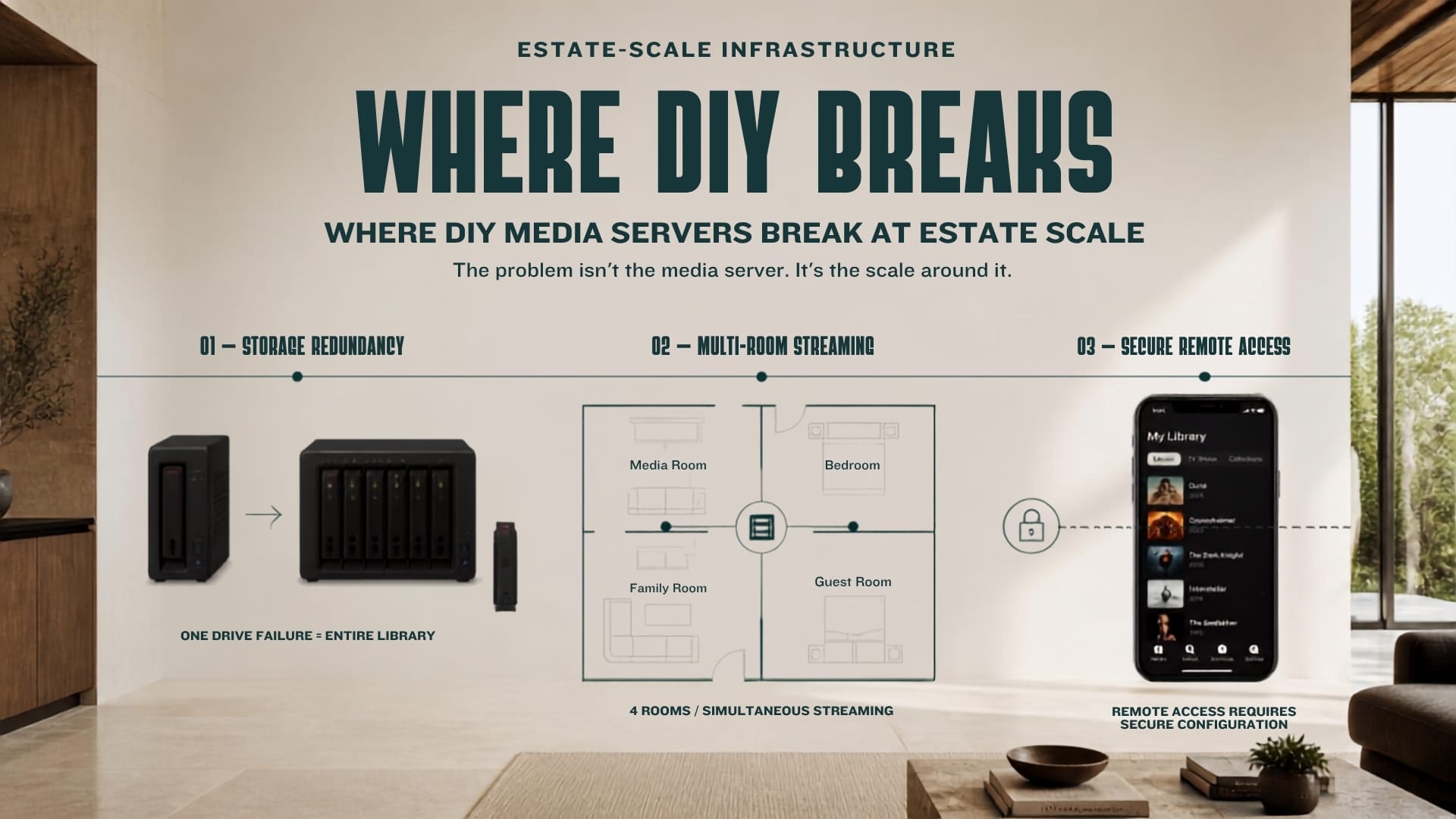
Redundancy is the first gap. A single drive with no backup means a hardware failure doesn't just delay access, it can erase the library entirely. Multi-drive systems with redundancy protect against exactly this, and most casual guides treat that as an optional upgrade rather than a starting requirement.
Simultaneous multi-room streaming is the second. A budget setup handling one stream to one TV behaves very differently once four family members are streaming in four rooms at once, especially at higher video quality. The hardware that looked sufficient for a single stream often isn't sized for that load.
Remote access while traveling is the third. A basic setup can expose a home network to real security risk if remote access isn't configured correctly, something DIY guides mention in passing far more often than they explain properly.
What Changes at Estate Scale
A professionally designed system starts with the same idea, local storage, no subscription, full ownership, but built with redundant, multi-bay storage sized for the actual library and the actual number of people streaming from it. Failed drives get flagged and replaced without anyone losing content.
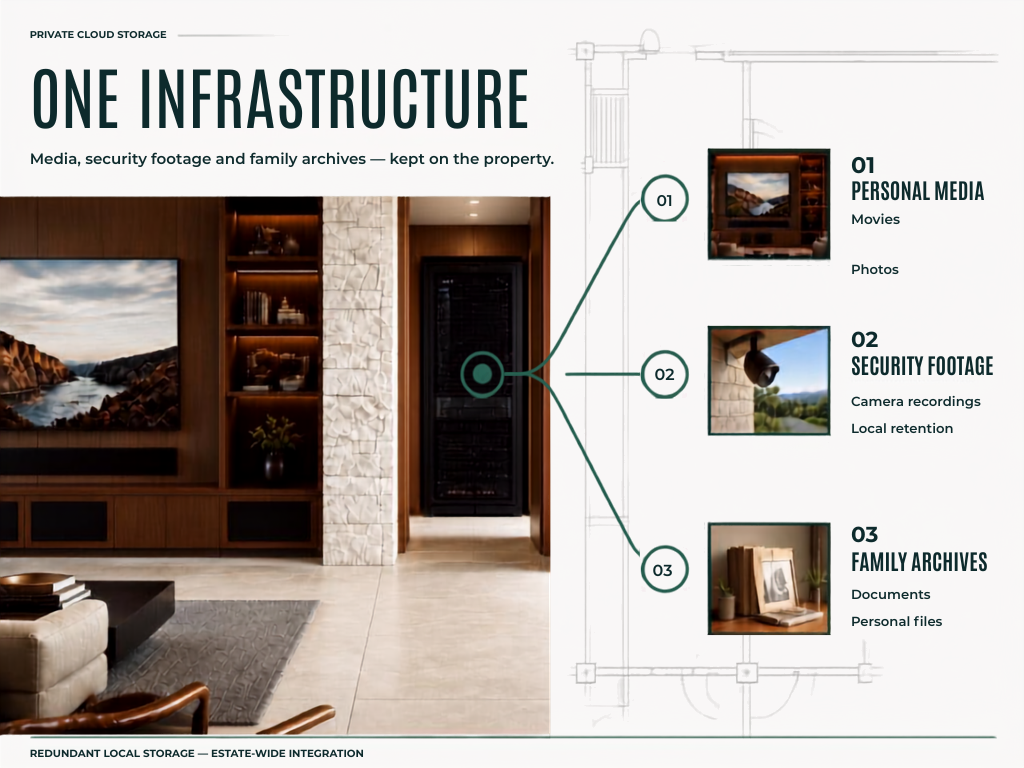
SEIITS designs and installs this as part of its private cloud storage service, sized to the estate's library and device count, alongside the same redundant storage that also handles security camera footage and family document archives. It isn't a separate project bolted onto the network, it's one part of the same infrastructure.
Have a media library scattered across drives, or a DIY server that's outgrown itself? SEIITS designs and installs redundant local storage sized for a real estate library, integrated with the rest of the property's technology. Book a free Storage Assessment at seiits.com/assessment.
DIY Setup vs. a Professionally Installed System
The honest comparison isn't about which approach is smarter. It's about which problem is actually being solved.
|
Factor |
DIY Setup |
Professionally Installed |
|
Storage redundancy |
Often single-drive, added
later if at all |
Multi-drive redundancy
built in from the start |
|
Multi-room streaming |
Sized for one or two
simultaneous streams |
Sized for the estate's
actual device count |
|
Remote access setup |
Manual configuration, real
security risk if done wrong |
Configured and secured as
part of installation |
|
Drive failure response |
Data loss if no redundancy
is in place |
Failed drive flagged and
replaced, no data loss |
|
Integration with other
systems |
Standalone project |
Part of the same storage
handling cameras and documents |
|
Ongoing maintenance |
Falls to whoever set it up |
Included as part of estate
technology maintenance |
Where This Fits Into a Broader Estate System
Media server storage doesn't have to be a separate system from everything else protecting an estate's data. The same private cloud infrastructure that stores a movie library can hold security camera footage and family document archives on the same redundant hardware, rather than paying for cloud retention with a hard cutoff date.
That storage also depends on the network it sits on. See the SEIITS guide to managed home networking for a Texas estate for how a properly built network supports storage like this without becoming the bottleneck.
Ongoing drive health checks and capacity planning are covered under SEIITS membership tiers, the same coverage that applies to the rest of an estate's connected systems, and ties into the broader SEIITS maintenance program.
A real media library deserves more than a DIY guide built for a single user. SEIITS designs and installs redundant storage sized for a full estate. Start with a free Storage Assessment at seiits.com/assessment
Frequently Asked Questions
What is a home media server?
A home media server stores a personal library of movies, TV shows, and photos on local hardware and streams it on demand to any device in the home, and remotely with the right setup, without a monthly subscription. It works similarly to a streaming service, except the content is owned rather than rented.
Why do DIY media server guides not work well for a large home?
Most public guides are written for a single user with a modest library and assume a spare computer or budget storage device is enough. That approach doesn't account for multiple family members streaming simultaneously in different rooms, a library large enough to need real redundancy, or remote access configured securely rather than as an afterthought.
What happens if a drive fails on a home media server?
On a single-drive setup with no redundancy, a failure can mean losing the entire library. Multi-drive systems with redundancy are built specifically to prevent this: when one drive fails, the system flags it, a replacement drive is installed, and the system rebuilds without losing data.
Can a home media server also store security camera footage?
Yes. The same local, redundant storage that holds a media library can also store security camera footage and family document archives, since all three are the same underlying need, keeping data on the property instead of paying an ongoing cloud subscription with retention limits.
Is it safe to access a home media server remotely while traveling?
It can be, but only if remote access is configured correctly. A misconfigured setup can expose a home network to real security risk, which is one of the most common mistakes in casual, self-built systems. A properly secured connection allows safe access to the library from anywhere without that exposure.
Comments ()